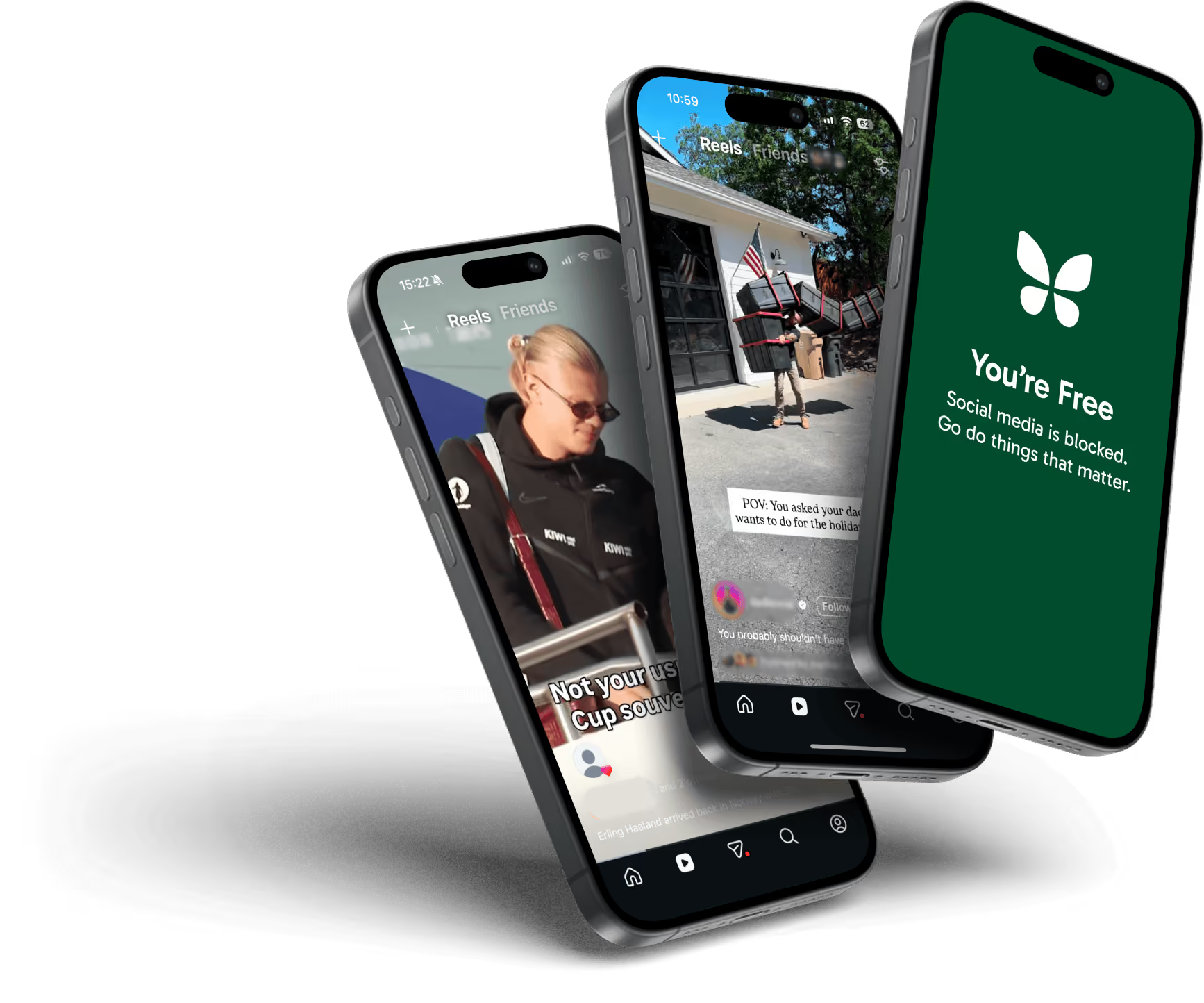
It wants your attention every day. That's the problem.
Freedom is different. It removes the distraction, then gets out of your way.
UNLOCK YOUR FOCUS

Free to start. Our users report getting back 2.5 hours a day.

Trusted by 4.5 million people.
As seen in




_logo_2012%201.svg)


Focus apps that need your attention have a conflict of interest.
The trap
Every app lives or dies by the same numbers: time in app, visits per week, months retained. The apps built to reduce your screen time are no exception. So they use the engagement playbook: daily check-ins, mood logs, streaks to protect, dashboards to admire.
Their mission is to get you off your phone. But, their business is keeping you on it.

“Like quitting junk food with a nutritionist who makes you come to their candy shop every day to weigh in.”
A streak points your craving at a new target. You check a score instead of a feed, the checking habit survives intact, and you're still performing for the machine.
Motivation drops when you're stressed or underslept, but the pull in your pocket never weakens. A streak only survives until your first bad day.
Other apps reward you with levels, leaderboards, streaks, and other gratification loops. With Freedom, you make the decision to block distractions, then build new habits from the experience of focus, not from craving external rewards that bring you back to the app.
You can't manage dopamine with “better” dopamine.
How Freedom works
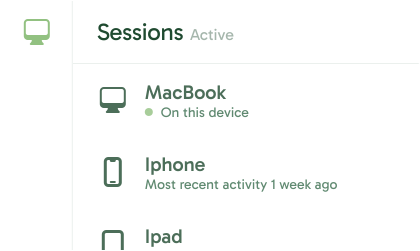
Phone, tablet, laptop, or all three. Freedom syncs them all.
Blocklist
Social media
News
Shopping
Entertainment
Games
Apps, websites, or the entire internet.
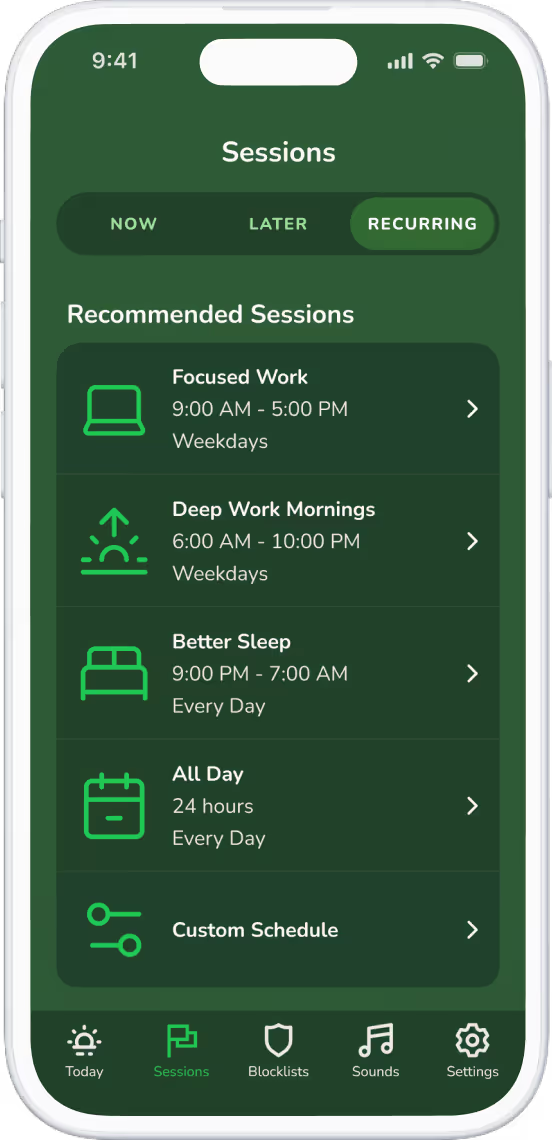
Pick your session length and schedule. Turn on Locked Mode and the session can't be ended early, even by you.
That's the whole product. No streaks to feed, no scores to check, nothing to open tomorrow.
2 weeks
10 years of attention, back
The evidence
— The Washington Post
The detox: participants in a peer-reviewed university study used Freedom to block mobile internet on their phones for two weeks. Attention, mental health, and well-being all measurably improved, and daily screen time fell from 314 minutes to 161.
So there's hope. Ten years of scrolling does not destroy your capacity to focus. It's still there, and it comes back fast once distractions are gone.
START FOR FREECastelo et al. (University of Alberta and Georgetown University), PNAS Nexus, 2025. Attention measured before and after a two-week mobile internet block using Freedom.Read the study.
4.5M+
people use Freedom
2.5 hrs
reclaimed per day, on average
6
platforms, one session
Don't take our word for it
9,600+ five-star ratings on the App Store, 4.4 average overall.
★★★★★
“I've tried all the other apps like Opal and BePresent and I always come back to Freedom. It just works, it's powerful and transformative, and isn't clamoring for my attention with childish gaming features like those other apps. It just quietly improves my life.”
YanaVoschek, App Store
★★★★★
“If you've a victim of doomscrolling and have no self control like me, then you need this app bc it make it harder for me to access my social media and shopping apps that distract me for hours from the homework that I should be doing.”
Nidia6, App Store
★★★★★
“My Opal annual subscription was about to renew so I investigated competitors and switched to Freedom. It is more affordable and simpler, and for one reason or another it's been easier to adhere to.”
Greasergrrl, App Store
★★★★★
“This app literally changed my life to so much better. My screen time on not important apps and websites decreased dramatically. It's good you can set time frames so it's not a cold turkey.”
PipeWein, App Store
★★★★★
“This app is really well designed. I love that they created it as a tool to curb screen time, rather than a gamified maximalist app (like Opal).”
paul_is_freezing, App Store
★★★★★
“I have tried them all. Opal, Forrest, iPhone screen time, all of them. But this is the best. The best feature is the ability to set the app to work in the future, and work across multiple devices.”
stevenalexbaird, App Store
Side by side
The original
Freedom is the original cross-platform blocker, and after more than a decade the job hasn't changed: the block holds. No surprise redesigns, no pivot to streaks, just cue removal done properly on every platform you own (on iOS, that means Apple's Screen Time API). Researchers at Carnegie Mellon and Microsoft have used Freedom to study attention, and it was the blocking tool behind the PNAS Nexus study above.
4.5 million people run it across Mac, Windows, iOS, Android, Chromebook, and Linux. A platform for protecting attention, not another app competing for it.
One story from along the way: when Apple purged screen time apps from the App Store in 2018, our CEO Fred Stutzman publicly pushed for an official Screen Time API instead of walking away. Apple built it. Every focus app on iOS stands on that API today, including the gamified ones.
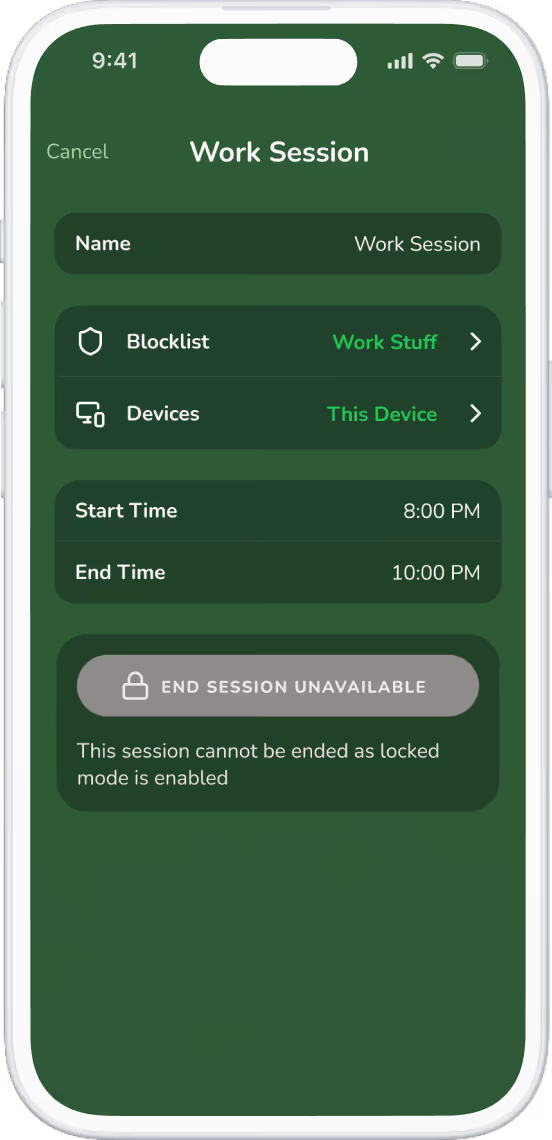
One session covers your phone, laptop, and tablet at once. Blocking Twitter on just your phone moves the distraction 12 inches to the left.
If a daily check-in genuinely delights you, if tending the plant keeps you honest and your motivation runs steady, a gamified blocker may serve you well. We mean that.
Freedom works whether you're motivated or not, because it never asks.
No points. No streaks. Your attention stays yours.
Set your blocks once. They run on every device you own, on schedule, whether you woke up inspired or not.
START FOR FREEFree & Premium plans available. Premium is only $39.99/yr, or $99.50 once, forever.
Join 4.5 million people who took their attention back.
Questions
Apps built on streaks and scores work while your motivation holds. Apps that remove the distraction outright keep working when it doesn't. In the PNAS Nexus study above, two weeks of blocking produced measurable gains in sustained attention, mental health, and well-being.
Probably because they ask for daily engagement, and engagement runs on motivation. When a stressful week drains it, the check-ins stop and the app goes quiet in a folder. A block you set once doesn't need you to show up for it.
The research says yes, and faster than you'd guess. Participants in the 2025 PNAS Nexus study recovered an amount of sustained attention comparable to reversing ten years of age-related decline, in two weeks, and the gains persisted after the study ended.
Gamified apps reward you for engaging with your own screen time data through streaks, scores, and daily feedback. Freedom removes distracting sites and apps across all your devices, then stays out of sight. The choice comes down to whether you want an app to use every day or an app that works without you.
Yes. Sessions sync across Mac, Windows, iOS, Android, Chromebook, and Linux, so blocking a site on your phone also blocks it on the laptop sitting 12 inches away.
With a normal session, you could. That's what Locked Mode is for: turn it on and the session can't be ended early, the app can't be deleted, and the block holds until the time you chose runs out. You set the rules when you're clear-headed, and Freedom enforces them when you're not.
Freedom is free to start, and Premium comes with a 7-day free trial. Premium is $39.99 a year, about one coffee a month and a fraction of what the big gamified blockers charge, or $8.99 month to month. One subscription covers every device you own. And if you're done with subscriptions altogether, Freedom Forever is $99.50 once: lifetime access on all your devices, nothing to renew, nothing to cancel. That's what some competitors charge for a single year.
No. On iOS, Freedom blocks through Apple's Screen Time API, the official mechanism Freedom pushed Apple to build. The optional VPN layer runs entirely on your device: it checks sites against your blocklist in real time, and no logs are created, stored, or sent anywhere. Your browsing stays 100% private. Freedom also blocks natively on Mac, Windows, Android, Chromebook, and Linux.

